






“Remote teaching sucks. It’s yucky and it is not the future of education.”
Thus spake my wife, a high school English teacher with many years of experience. And she’s right. I teach at a university, and we have also moved to virtual lessons in the face of COVID-19. Even before the current crisis, I already made extensive use of digital tools in the classroom. However, virtual lessons are a poor substitute for actual in-person lessons. Let me take you on a tour of a future that we all should be trying to avoid. (It isn’t all doom and gloom, though; we’ve discovered some hidden treasures as well.)
The problem is that teaching is an intimate activity: students give up a certain degree of control to the teacher and trust that person to help them master some new topic. It doesn’t matter how big the class, that intimacy is unchanged for the teacher. Teaching is personal. Yes, from the student’s perspective, a one-on-one lesson is more personal than a lecture delivered to 500 students. But the anonymity and safety in large classes does not mean that teachers are not seeing and modifying their approach via instantaneous feedback from their classes.
Teaching is a performance. Anything that comes between the teacher and the student reduces the connection between the two. In that sense, all forms of technology interfere with the intimacy of teaching and consequently impair performance. The counter-point is that technology, including the humble whiteboard, tries to make up for the limitations of being human, and that is often a worthwhile effort.
Set your permissions
Video technology, virtual whiteboards, and all the rest of it simply don’t allow for a connection. And, when introduced at such short notice… well you can imagine the chaos. For example, my daughter is getting virtual lessons via Google Meets, but the permissions for the meeting are never set correctly (I am not sure if Google Meets even has the flexibility). Kids are able to mute the teacher for everyone without the teacher noticing. They can choose their own nicknames—with predictable results—and kick each other out of the class. In other words, classroom management has a whole range of different problems and requires a different skill set, and, most importantly, planning.
I can also see and hear—I’ve been listening in—the teachers struggling with the lack of instant feedback. How do you know if the students have understood what you’ve just said? How do you even know they are still in the room? Short answer is that the teacher often doesn’t.
Donna, my wife, uses Microsoft Teams, which I am also more familiar with. To make the lesson really work, she has found that you need very strict behavior rules—all microphones are muted until requested. Most cameras are generally off to keep bandwidth under control. She sets the digital permissions for each meeting so that the potential for disruption is minimized. She has established an etiquette: questions go in the chat, only unmute when invited. If she misses a question, you may interrupt.
Just after lessons began, Donna received an email from her school: “We strongly advise you not to turn on your camera.” The school administrators were worried about their teachers being unwilling stars in Bestiality: a beginner’s guide and I can’t say I blame them. But, the other side of the coin is that teaching without video makes the connection between the teacher and student even worse. Donna decided to keep her camera on, damn the consequences. The feedback: the students appreciate even that poor connection.
Interestingly, her students have been super well-behaved. They clearly don’t like the environment, but they are making the best of it.
Digital silver lining
It was not all bad, either. The unexpected benefit was the Teams environment. Teams provides a setup specific for the classroom, with a class notebook, based on OneNote. The notebook has a class materials area that is read-only for students. Donna places all the lesson material there. It has a collaborative area that everyone can play in. Joint assignments can be done there.
OneNote also has individual student notebooks that the teacher can see and comment on. Donna can see progress and offer immediate feedback. She has found that the students are quicker to begin with their work than in a real classroom. In fact, she is so taken with the setup that she is thinking about creating classroom Teams—assuming that Teams is still available in her school next academic year—in the future.
In addition Teams provides methods to create, do, and submit assignments digitally. Neither I nor Donna have had a chance to make use of this yet, but it looks at least as flexible as dedicated (and expensive) electronic learning environments (*cough* Blackboard *cough*). I certainly intend to make use of it in the future.
Hunting for the perfect board
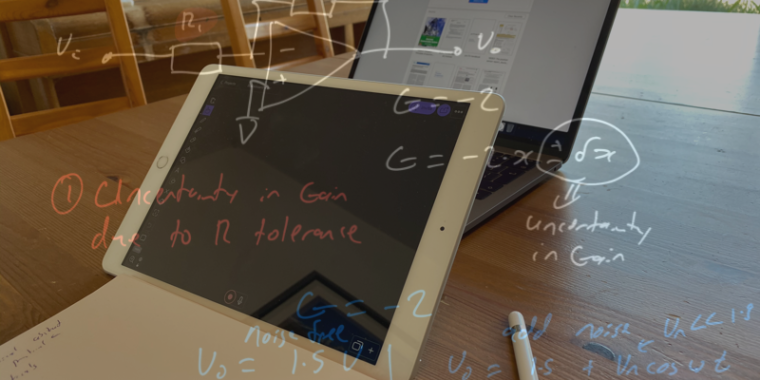
My own experience has been slightly different, of course. First of all, I teach subjects that involve equations, and I really need to be able to draw diagrams. I immediately purchased an iPad with a Pencil. Yes, other solutions are available—our department provided everyone with Wacom tablets—but I have a lot of software licenses for iPad software and experience with the device. It was worth the additional cost.
I spent three or four days investigating whiteboard solutions. For instance, OneNote lets you draw notes, but they only appear later in the classroom notebook, and the options for usage were quite limited. Microsoft also has its own whiteboard. I was very excited to discover that I could draw rainbow-colored unicorns and less excited to discover that what I drew was not what was broadcast. I was downright downcast when I opened the feature cupboard and found it bare. In the end, I purchased a subscription to Explain Everything. Explain Everything lets me broadcast my whiteboard (I use it in blackboard mode) to the students, but they have no access to the board itself.
Teams can be set to record the entire lesson, meaning that my smiling face, along with the blackboard, are captured together. The recording is then available for streaming right from the class chat, which is very nice.
Teams also handles multiple devices remarkably well, intelligently muting one device and treating one as a kind of assistant to the other. But, that seamless control will also lead you astray. In one of my lessons, Teams captured the wrong screen: my smiling face was explaining stuff that was hidden from view.
A very poorly given lesson on why an EM-drive cannot work. It also happens to show some of the limitations of using the app Explain Everything alone on an iPad. I especially love the way the audio and the video are perfectly synchronized.
Move slow and still break things
Explain Everything also lets you share a board independently as view-only or collaboratively, so the students can access the material independent of the Teams environment. Not only that, you can easily add media to the board. This includes pictures, video, audio. Whatever you choose, Explain Everything puts it on the board.

Chris Lee
By combining Explain Everything with Teams, I found that chalk-and-talk-style lessons go reasonably well. I had to keep track of the chat to ensure that I answered questions (not easy), and I had to be reminded to slow down—normally I use the confusion apparent on the students’ faces as my reminder. A couple of times, the board appeared to freeze on the broadcast screen but not on my iPad. This is one of my greatest fears for chalk-and-talk: if it’s going wrong, how would you know and how would you fix it?
Digital technologies also clash. I make use of an environment called NearPod to create self-study lessons. Usually, the students work through the material in class, and I walk around to see how things are going. I discuss the material with individuals as well as have whole class discussions and give mini-explainers. This turns out to be almost impossible in a virtual class. I have no way of seeing what the students are doing. Sure I can look at the NearPod report, but that is not the same. Instead, all feedback has to be student initiated. It was impossible for me to gauge how the lesson went.
Similarly, we are also running practical classes via Teams. Apart from the obvious problems—I cannot poke around in their setup to help them learn to debug—even screen sharing has weird issues. I found it really difficult to show the students what needed to be changed in their code (the students are learning LabView, a graphical coding environment). Once in control of a student’s screen, the precision is low and the lag is too long to accurately point and click at tiny lines or precisely indicate what needs to be changed. It was, in a word, horrible.
No place for humans
Virtual teaching is surprisingly energy-sapping. In the class, if you are doing your job right, there is a positive feedback. You give lots of energy, but you also receive a lot back from the students. In a virtual environment, it doesn’t matter how much you give, you get nothing back. Even the very stillness—you have to sit at your computer for a few hours to give the class—eats away at your energy and mood. There is no positive take on this: removing the most enjoyable part of teaching makes it a horrible job.
It goes horribly wrong for the students, too, especially the shy students. These are students who don’t ask for help. In class, I pick them up. I help them, and they grow out of their shells. That’s all gone now.
So, what is the verdict? My youngest, who stands accused of driving a body while under the influence of hormones, has reacted about as positively as you might expect: “I fucking hate it.” My students are also pretty forthcoming with their opinion. I also loathe the virtual aspect. We all accept the need under the circumstances, but I expect the amount of forgiveness from students will decay exponentially. On the bright side, the tools that I’ve discovered may well be used for many years to come as an adjunct to in-person lessons.
Listing image by Chris Lee